Reducing UI interference in Instagram Reels
TL;DR: The redesign replaces Instagram Reels' persistent interaction bar with a single continuous gesture. A horizontal drag reveals a contextual side menu, followed by a vertical drag to select an action and release to confirm. The system reduces on-screen clutter while preserving fast access to engagement tools, with onboarding support, an optional legacy UI toggle, and reversible actions.
Overview
Instagram Reels is built around immersive, full-screen video consumption. The experience prioritizes fast interaction, continuous scrolling, and engagement-driven behavior. However, while the content is intended to feel seamless and visually engaging, the interface introduces usability issues that interrupt the viewing experience.
Throughout Reels, engagement controls such as like, comment, repost, share, and more remain permanently visible on top of the content. While these actions are important, the interface continuously occupies screen space regardless of whether users are actively interacting.
This creates two key problems:
- The interface obstructs important visual content
- Engagement controls lose visibility depending on the video background beneath them due to low contrast.
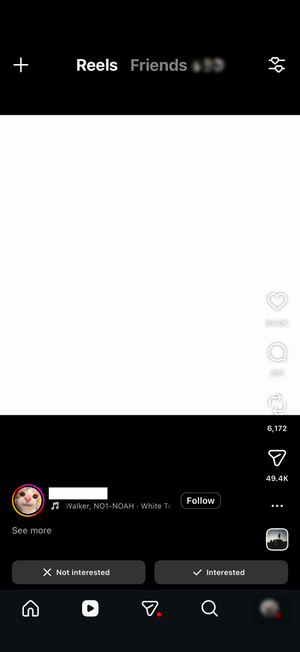
This project explores a redesign of the Reels interaction system focused on reducing interface obstruction, improving readability, and creating a cleaner viewing experience while preserving fast access to engagement controls.
Interaction Problem
The current model treats engagement as a persistent overlay rather than a contextual action layer. This creates a mismatch between user behavior and interface persistence.
Most Reels usage is passive viewing, yet interaction controls remain continuously present.
As a result, interface elements compete with content for attention even when no interaction is taking place.
Solution
The redesign replaces the always-visible interaction bar with a gesture-based system that only appears when the user initiates interaction.
Instead of existing as a permanent layer on top of content, the interface becomes a temporary state that is activated through a single gesture, used, and then dismissed.
Core Interaction Model
Interaction Flow
Press & Hold → Horizontal Drag → Vertical Selection → Release to Confirm
- The user presses and holds on the screen while watching a Reel
- While holding, they drag horizontally left or right
- The action menu appears on the selected side
- The menu uses a frosted glass background to maintain contrast and readability across all video conditions
- Without lifting their finger, they continue into a vertical drag through available actions
- The currently selected action scales up to indicate focus
- Releasing the finger confirms the action
- The selected interaction is executed immediately
- A confirmation animation provides feedback
- The menu collapses and disappears
This replaces multiple discrete taps with one continuous interaction flow.
Design Rationale
Content-First Viewing
Controls are not present during passive viewing. The video remains unobstructed until interaction is explicitly initiated through the gesture.
Reduced Interaction Fragmentation
Instead of separate steps for locating, selecting, and confirming actions, the entire interaction is completed within the same gesture.
Spatial Separation of Actions
Actions are accessed through a side-revealed menu rather than being layered over the content. This reduces overlap with key visual information such as subtitles and on-screen graphics.
Visual and Motion System
Motion is used as the primary feedback mechanism for the interaction.
- The menu slides in from the side of the screen based on horizontal direction
- The contextual action menu uses a frosted glass background to preserve readability across all video conditions
- Icons scale dynamically as the user moves through vertical selection
- The active selection becomes visually dominant in real time
- On release, a confirmation animation reinforces the executed action
- The interface collapses immediately after completion
This ensures the system remains readable without relying on persistent UI elements.
Learnability and Onboarding
Because the gesture differs from standard tap-based patterns, first-time use requires minimal guidance.
During initial interaction, subtle visual cues indicate that a long press activates the gesture. These cues fade as the user becomes familiar with the interaction pattern.
Edge Cases & System Behavior
Preference for Traditional Interface
Users who prefer the existing Reels interaction model can switch between the redesigned system and the original UI through the existing “More” menu.
Within this menu, a “Hidden menu” option can be added in place of an existing item such as “View fullscreen.”
This toggle allows users to switch between:
- the current always-visible interaction bar
- the gesture-based interaction model
This keeps the change optional and integrated into the current structure rather than introducing a separate configuration layer.
Introduction to the Interaction Pattern
Since the gesture is not immediately visible, onboarding occurs during first use.
On initial interaction, subtle on-screen indicators appear when the user performs the gesture. These indicators guide the user through activation, horizontal movement, and vertical selection.
Once the gesture has been used a few times, these prompts fade, allowing the interaction to become implicit through repetition.
Undoing or Correcting Actions
If an unintended action is triggered, the same interaction flow can be used to reverse it.
The user can re-enter the gesture state, navigate back to the same action, and release again to toggle it off.
For example, if a user likes a Reel by selecting the heart action, repeating the gesture, selecting the heart again, and releasing will remove the like. The system treats interactions as toggles rather than one-way actions, allowing correction without additional UI steps.
Design Intent
The system reframes engagement controls from a persistent overlay into an on-demand interaction layer. Rather than competing with content throughout playback, controls exist only during intentional use.
This reduces visual noise while preserving direct access to core engagement functions, aligning interface presence more closely with user intent and interaction timing.
Expected Outcomes
- Reduced visual obstruction during passive viewing
- Improved contrast and readability of interaction controls
- Faster access to engagement actions through a continuous gesture
- Greater alignment between interface visibility and user intent